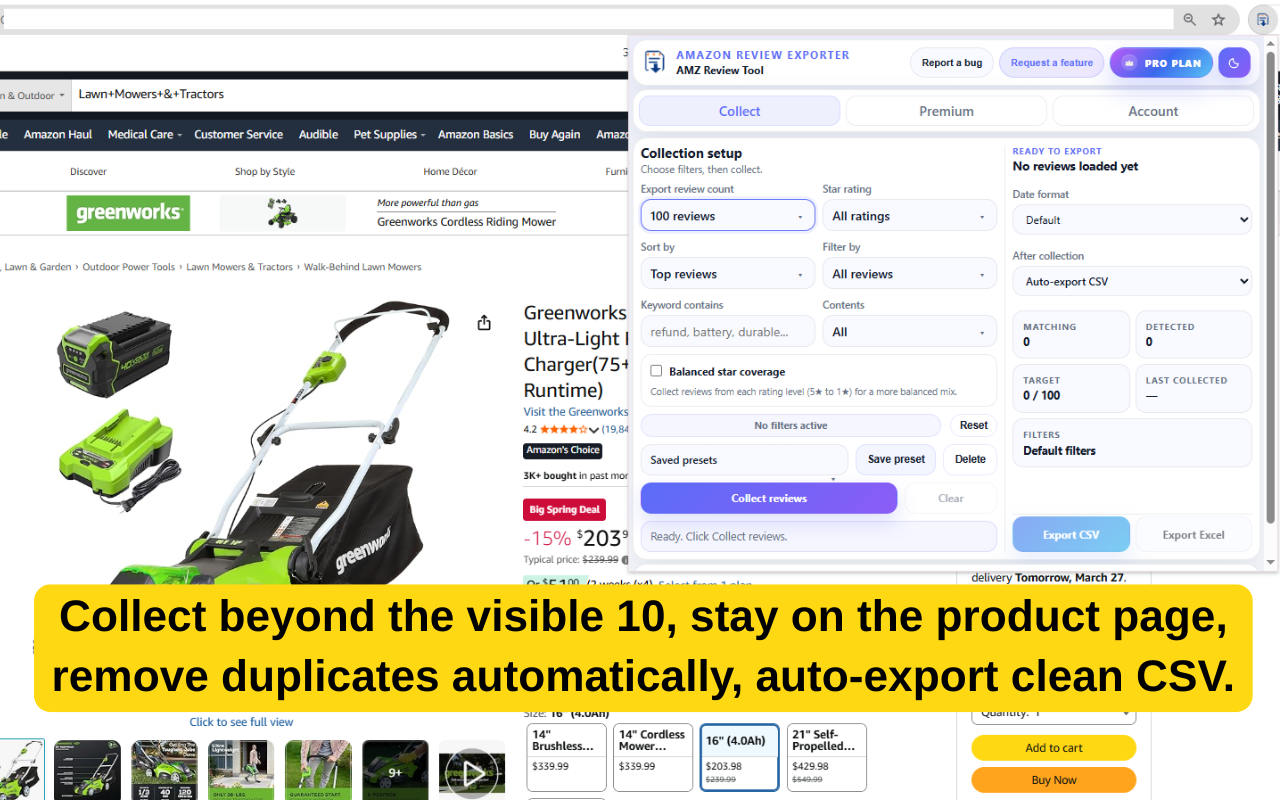
Collect beyond the visible 10
Gather more matching reviews directly from supported Amazon product pages without forcing users through the full review-page workflow.
AMZ Review Tool helps you collect beyond the visible 10 reviews, remove duplicates automatically, and export clean files faster with a focused workflow built directly on supported Amazon product pages.
Instead of making users click through review pages manually, AMZ Review Tool keeps the workflow lightweight, transparent, and useful for actual research and export work.
Gather more matching reviews directly from supported Amazon product pages without forcing users through the full review-page workflow.
Exports stay cleaner because duplicate reviews are detected and removed before the final file is created.
For fast workflows, collection can finish and immediately export to CSV with no extra clicking.
Use review count, rating, sort, keyword, content type, and export-column options to focus on what matters before export.
Premium users can collect a more balanced mix across rating levels instead of relying only on a single raw stream.
Great for review mining, listing research, voice-of-customer notes, support analysis, and product research workflows.
Open a supported Amazon product page, set your review target and filters, collect matching reviews, then export a cleaner file without the usual tab chaos.
Click any card to open the full gallery in-page. Start with duplicate removal, then move through filters, export settings, and the final spreadsheet output.
Start on the Amazon page you are already researching instead of bouncing into clunky outside tools.
Set the target count, ratings, keyword filters, and content options that match the task in front of you.
Remove duplicates automatically and export CSV or Excel for a cleaner next step.
Start free by installing the extension from the Chrome Web Store. Pro unlocks deeper filtering, higher collection targets, and more export power for heavier use.
Perfect for trying the workflow and handling smaller review pulls.
For regular users who want more control, higher limits, and faster export workflows.
Best value for users who plan to rely on the extension consistently throughout the year.
It is best suited for Amazon sellers, researchers, operators, and teams who need to collect and export customer reviews faster from supported Amazon pages.
The free plan is built for lighter usage and includes the core collection workflow, duplicate removal, and CSV export for smaller review pulls.
Pro unlocks higher collection targets, keyword and advanced filters, balanced star coverage, Excel export, and more control over export workflow.
No. AMZ Review Tool is an independent software tool and is not affiliated with, endorsed by, or sponsored by Amazon.
Use the free workflow for lighter review jobs, then move to Pro Monthly or Pro Yearly when you need more filtering, higher targets, and premium export features.